Medical ID (premium)
- 4.6
- Rating
- 50.00K
- Installs
- $11.99
- Price

 Analysis by App-foxy
When I first looked at Medical ID (premium), I understood its appeal immediately: it is a medical app designed to put important health details and emergency contacts in one place when someone may not be able to explain them. That sounds simple, but simplicity is exactly what matters in an emergency. A phone can be locked, a person can be confused, or a family member may be dealing with a situation where searching through contacts is not practical.
My experience with it is best described as practical rather than exciting. This is not an app I open for entertainment or daily tracking. Its value depends on preparing it carefully before anything goes wrong. Once configured, it can act as a compact reference for medical information and people to contact. I would recommend it to anyone who wants a dedicated emergency profile instead of relying entirely on memory, a paper card, or a general notes app.
It belongs to the medical category and is made by Elaunira. The app has been available since late June 2014, and its current version is 8.0.20. It is rated for Everyone and works on devices running Android 7.0 or later. The paid price is $11.99, so I would not treat it as an impulse download; the question is whether having a focused emergency record is worth paying for in your household.
You May Also Like

 Blood Strike: 2.5 Anniversary
Blood Strike’s Loadouts Turn Every Drop Into a Tactical Gamble
A close look at Blood Strike’s custom loadouts: how fast access to signature weapons reshapes its battle royale rhythm, rewards preparation, and narrows the gap between fights.

 Pandora - Music & Podcasts
Pandora’s Music Is Easy to Start, but Harder to Recover
Pandora’s strength is its low-effort path from a seed to a station. Its weak spot is how much confidence it asks you to place in connection, setup, and quiet recovery.

 8 Ball Pool
 Is Built on Rivalries, Rematches, and Routine
A close look at the rivalries, rematches, shared routines, and unanswered safety questions that turn a quick pool match into a persistent mobile community.

 Samsung Music
’s Quiet Strength Is Playing What You Already Own
Its reach comes less from spectacle than from dependable access to a personal library. That simplicity is both the app’s strongest retention engine and its ceiling.

 AccuWeather: Weather Radar
AccuWeather Review: A Quick, Clear Forecast for Everyday Decisions
For everyday plans, the best forecast is the one you can understand quickly. AccuWeather makes rain timing, radar, and local conditions easy to act on, with a few trade-offs.

 Hill Climb Racing
Why Hill Climb Racing Still Turns Crashes Into One More Run
A tiny car, a bumpy hill and one more upgrade: Hill Climb Racing keeps resurfacing because its simple chaos makes every near-miss feel personal.
More From Our News Desk



How Medical ID works in a shared household
In a shared household, I’d treat Medical ID as a person-specific emergency reference, not a single profile for everyone. Before setting it up on a commonly accessible device, I’d agree on whose details it contains, who is responsible for keeping them current, and how family members can identify the right information without exposing more than necessary.
A realistic situation where a prepared profile matters
Imagine a household where one person has a serious allergy, takes several prescriptions, or has a condition that a stranger would not know about. During an ordinary day, that information may be easy to explain. After a fall, a fainting episode, or a sudden medical problem, it may not be. A partner, neighbor, or relative might have to find the relevant details quickly while also making a call.
This is where I see the strongest use for the app. Rather than asking a family member to remember every medication, diagnosis, and contact number, I would use the app as a prepared emergency reference. The important point is not simply installing it. The benefit comes from entering information in advance, checking that it is current, and making sure the people who may need it know where to look.
It can also make sense for a shared tablet or an older phone kept in a home, provided the device is actually available when needed. That arrangement has a clear advantage: the information can remain associated with the household rather than being trapped on one person’s personal phone. It also has a serious weakness. A device left in a drawer, without battery power or a convenient location, is not a dependable emergency tool.
I would therefore decide first which device should carry the profile. For an individual, that is usually the phone they take outside. For a household, it might be a commonly accessible device, but only if everyone understands its purpose. I would avoid scattering identical records across several devices unless someone is willing to maintain them. Outdated copies can create confusion, especially when a medication or emergency contact changes.
Setting up information without turning the app into a diary
The best setup is selective. I would enter information that could change how another person responds, such as major medical conditions, allergies, essential medication details, and trusted contacts. I would not use the profile as a complete personal history. An emergency reference should be readable under pressure, and a long collection of unrelated notes can hide the details that matter most.
One useful habit is to write entries in the way a stranger would understand them. A vague label may be obvious to the person who created it but meaningless to a neighbor or responder. I would use familiar medication names and clear relationship labels for contacts rather than private nicknames. I would also review spelling and phone numbers manually instead of assuming that an imported or remembered contact is correct.
The app’s focused purpose is a strength here. A general notes application can hold medical information, but it usually places that information beside shopping lists, work notes, photographs, and other unrelated material. A normal contacts app can store emergency numbers, but it does not necessarily explain why a person should be called or what medical context matters. Medical ID keeps the task centered on emergency access, which makes it easier for me to think about the information as a prepared handoff.
There is also a boundary that families should agree on before using it. A medical profile may contain sensitive information, so I would not casually fill it with details that every person sharing a device is expected to read. The household should decide who is responsible for entering and checking the information, who is allowed to edit it, and which details are genuinely necessary. Those decisions are especially important when the device is used by several people.
Keeping profiles separate when one device serves more than one person
Shared-device use needs extra care because an emergency profile is personal even when the hardware is communal. I would never assume that one profile can represent an entire family accurately. A child, an adult with allergies, and an older relative may have completely different risks and contacts. Combining them into one crowded record makes the app less useful at exactly the wrong moment.
If a household uses one device, I would establish a simple physical and visual routine: identify whose information is currently displayed, keep the device in a known place, and tell each regular user how to reach the relevant record. If the app does not suit a multi-person arrangement in practice, separate devices or a clearly labeled paper backup may be safer than forcing several identities into one profile.
This is also where account boundaries matter. I would not treat access to the app as permission to browse through every private detail on a family member’s phone. The purpose is emergency coordination, not general household surveillance. If two adults share a device, they should agree on what is stored and who can update it. If a teenager’s information is included, I would explain why the profile exists rather than silently creating a record that feels intrusive.
For a caregiver, the most useful workflow may be to prepare the profile together with the person it describes. That reduces mistakes and gives the owner a chance to decide which information is comfortable to share. It also creates a natural moment to verify contacts. A profile made by someone who has never spoken with the listed contacts can easily contain the wrong person or an old number.
Coordinating contacts instead of relying on one person
The emergency-contact function is more valuable when the household agrees on a response plan. I would not list several people simply to make the screen look complete. I would choose contacts who are likely to answer, know the person’s situation, and understand what they are expected to do. One contact might be nearby, while another may be better informed about medical history. Those roles should be clear before an emergency.
A practical test is to ask each listed person whether they know they are included and whether their number is still correct. This is a small step, but it prevents a common failure: an app containing accurate medical information paired with contacts who are unavailable or unaware. I would repeat that check after a move, a change of phone number, or a change in household responsibilities.
I also prefer a staged update process. First, I would edit the medical facts. Then I would check the contacts separately. Finally, I would read the entire profile as if I were a stranger seeing it for the first time. This catches contradictions that are easy to miss when information is added in separate sessions. For example, a medication list may be current while an emergency contact still belongs to a previous caregiver.
Another non-obvious trade-off is the difference between completeness and speed. More information can help a professional, but too much text can slow down a person trying to find the critical fact. I would put the highest-consequence details first in my own preparation and keep wording short. The app is most helpful when it supports quick recognition, not when it becomes a miniature medical file.
Age, trust, and the responsibility of using a medical profile
The Everyone age rating makes the app approachable for households with different ages, but that does not remove the need for adult judgment. A young person may benefit from having allergy or emergency-contact information prepared, yet they may not understand the privacy implications of entering every detail. I would set it up with a parent or trusted adult and explain what the profile is for.
For an older family member, the challenge may be less about understanding the idea and more about maintaining the information. A caregiver can help with the initial setup, but the person’s preferences should still guide what is recorded. I would avoid treating the app as a substitute for a conversation about medication changes, diagnoses, or who should be called. The software can organize information; it cannot decide whether that information is medically correct.
Trust also applies to updates. If several people can access a shared device, an accidental edit could be just as problematic as an old entry. I would keep a clear household rule that medical changes are made deliberately and then communicated to the relevant people. For sensitive situations, a private personal device may be a better fit than a shared one, even if the shared device is easier for others to find.
I would be cautious about presenting the profile as a guarantee that help will always find the information. The app’s purpose is to provide access to medical data and contacts, but real-world access depends on the device, its condition, and the people nearby knowing how to use it. That is why I see it as one layer in a preparedness plan, not a replacement for medical advice, a doctor’s records, or a direct call to emergency services.
Where it is stronger than ordinary alternatives
Compared with a paper card, the app is easier to revise when a contact or medication changes. A paper card can be excellent as a backup because it does not depend on a charged device, but it becomes unreliable when people forget to replace it. I would use paper for redundancy in a high-risk household, not as the only method if the information changes regularly.
Compared with a general notes app, Medical ID has a clearer purpose. A note may be buried, named vaguely, or mixed with personal material. This app encourages me to think in terms of an emergency profile, which is a more useful mental model. The trade-off is that a general notes app may be more flexible for extensive explanations, timelines, or documents. If your needs are closer to full record keeping than quick reference, the simpler medical profile may feel limited.
Compared with relying on a built-in phone emergency feature, the app may appeal to someone who wants a dedicated place for medical details and contacts. However, I would not assume that one approach automatically replaces the other. Phone-level tools can be familiar to responders, while a dedicated app can be easier for a household to maintain as a focused record. I would check both workflows on the actual device and choose the arrangement that a stranger could understand fastest.
The premium price is another part of that comparison. At $11.99, it costs more than using a free note or writing a basic card. I think the purchase makes the most sense for someone who will actively maintain a structured emergency profile. If you only need one phone number written down, a simpler solution may be enough. If your household has several important medical details and wants them organized in one dedicated place, the cost is easier to justify.
Limitations I noticed before making a recommendation
The biggest limitation is behavioral: the app cannot compensate for neglected information. A beautifully arranged profile is not useful if the device is inaccessible, the battery is empty, or the contacts have changed. That means the app asks for a small amount of ongoing responsibility. I would schedule a review after any medication change and make a broader household check at regular intervals.
Another limitation is the risk of false confidence. Seeing a medical profile on a phone can make a family feel prepared, but it does not prove that someone else will discover it or interpret every entry correctly. I would show close relatives where the information is kept and explain its purpose. For a shared device, I would go further and practice opening the correct profile without turning the exercise into a complicated drill.
The app may also be a poor match for users who want detailed medical documentation, automatic coordination with clinicians, or a full health-management system. Its value is concentrated in emergency identification and contact access. I would choose a broader health platform for ongoing measurements, appointments, or records, and keep this app only if its emergency focus adds something useful.
Privacy is a final consideration. Medical information should be treated as sensitive even when the app is rated for Everyone. Before installing it on a family device, I would decide who can see the profile and whether that arrangement feels acceptable. A personal phone is usually better for private information, while a shared device can be better for visibility. Neither choice is automatically right; it depends on the household and the health situation.
My household verdict
After considering how I would use it, I see Medical ID as a focused preparedness tool rather than a complete medical solution. Its strongest role is to give a household a deliberate place for essential health details and emergency contacts, especially when a person may not be able to speak for themselves. The app’s long availability, current version 8.0.20, and average rating of 4.6 from around 2.9 thousand ratings suggest that it has found a clear audience, while over 50 thousand installs show that the idea is being used beyond a handful of early adopters.
I would recommend it to adults managing allergies, important medications, or conditions that a stranger should know about. I would also consider it for a caregiver-supported setup, provided the individual’s privacy and preferences remain central. In a household, I would pair it with a clear agreement about whose profile is active, who maintains it, and which contacts are prepared to respond.
I would skip it if you only need a tiny amount of information, dislike maintaining personal records, or expect the app to replace professional documentation. I would also hesitate to put sensitive details on a shared device when the household cannot agree on access. In those situations, a personal device, a paper backup, or a broader health-record solution may be more appropriate.
My final recommendation is conditional but positive: buy it when you are willing to prepare and review the information, not merely install it. The app’s usefulness comes from the quality of the profile and the coordination around it. For my own household, I would keep the record concise, verify every contact, explain the arrangement to the people who may need it, and maintain a backup for situations where the phone is unavailable. Used that way, this premium medical app provides a sensible layer of readiness without pretending to be more than it is.
FAQs for Medical ID (premium)
01What is Medical ID (premium) used for?
Medical ID (premium) is designed to make essential health and emergency information available when it matters most. You can create a profile containing details such as allergies, medications, medical conditions, blood type, emergency contacts, and physician information. The app can help first responders or other people identify important facts quickly, especially if you cannot communicate during an accident or medical emergency.
02Can emergency information be viewed without unlocking my phone?
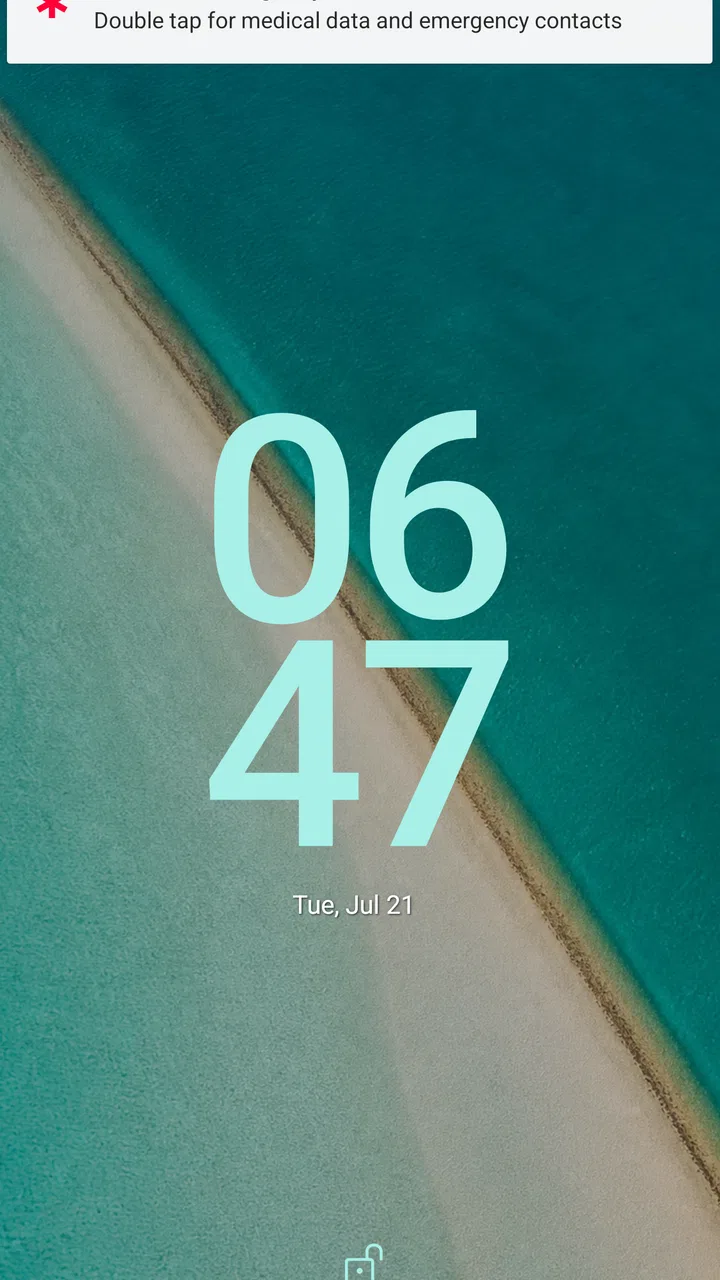
The app is intended to provide access to your emergency profile from the device’s lock screen or another clearly visible emergency area, depending on your phone model and settings. Before relying on it, you should test the feature yourself and confirm that the information is readable while the phone is locked. Android versions, security settings, and manufacturer interfaces may affect how this function appears.
03What information should I add to my Medical ID profile?
You should enter only accurate, current information that could help someone assist you in an emergency. Useful details may include your full name, date of birth, blood type, allergies, chronic conditions, medications, implanted devices, emergency contacts, and important doctor information. Review the profile regularly, particularly after changing medication, receiving a diagnosis, or updating your contact details.
04Does Medical ID (premium) replace professional medical advice or emergency services?
No. Medical ID (premium) is an information and emergency-reference tool, not a diagnostic service, treatment platform, or replacement for doctors, paramedics, or local emergency numbers. The information displayed is based on what you enter, so it may be incomplete or outdated. In a serious situation, users and bystanders should contact emergency services immediately and follow professional instructions.
05Is my health information private and secure in Medical ID (premium)?
Because the app handles sensitive personal and medical information, you should carefully review its privacy policy, permissions, storage methods, and any synchronization or backup options before entering detailed data. Information intended for emergency access may be visible to someone holding your phone, depending on your configuration. Use only the features you are comfortable with, keep your device protected, and update the profile responsibly.
Pros
- Stores vital medical details for quick access in emergencies.
- Can display information from the lock screen without unlocking the phone.
- Supports emergency contacts and important allergy information.
- Premium features provide a more complete and customizable medical profile.
- Useful for people with chronic conditions
- allergies
- or special needs.
Cons
- Requires accurate
- regularly updated information to remain reliable.
- Some emergency responders may not recognize or use third-party ID apps.
- Premium access may be necessary for the most useful features.
- Privacy concerns arise when sensitive health data is stored on a phone.
- Its usefulness depends on the phone being charged and available.

Medical ID (premium)
Gallery